Building a Telegram-to-CLI Bridge for Claude Code
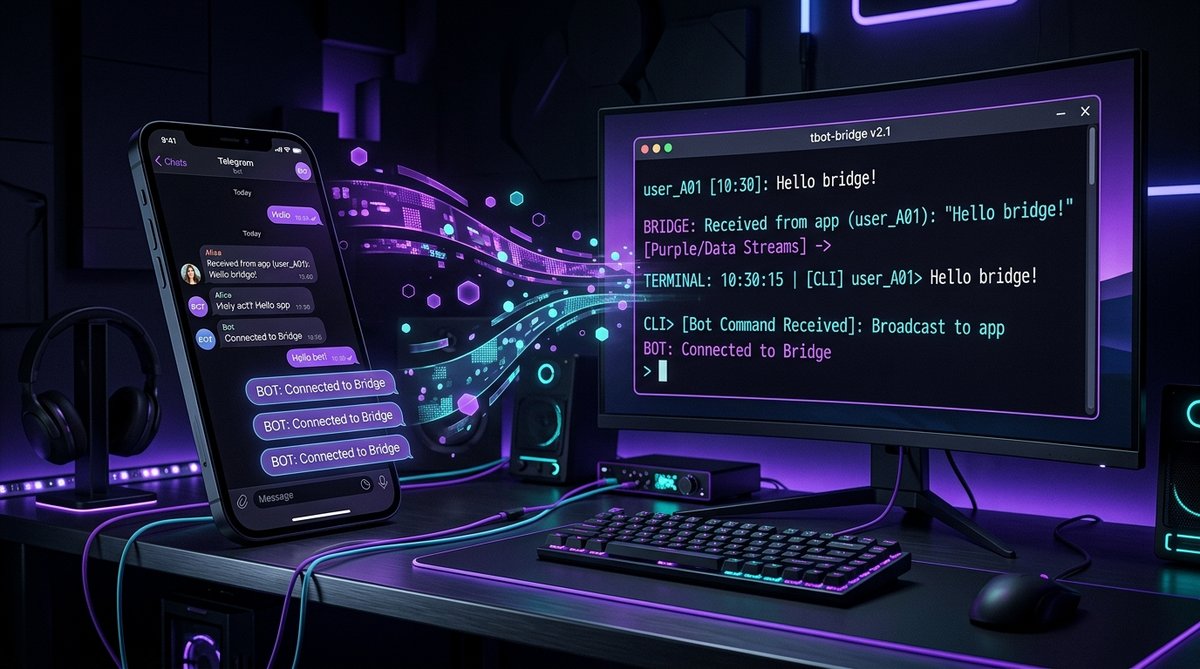
I wanted to send a message on my phone and have Claude Code execute it on my desktop — in real time. No SSH, no remote desktop, no web UI. Just Telegram → Claude Code. The result is a four-component relay system that uses Cloudflare Workers as a webhook receiver, a Python daemon for clipboard injection, Win32 API calls for focus management, and Groq's Whisper API for voice transcription. Here's how it works, why every shortcut failed, and how to build your own.
The Problem
Claude Code runs in a terminal. It has no API, no HTTP server, no socket — it's a TUI application that reads from stdin. If you want to send it a command remotely, you need to type into the terminal. From a phone. In real time.
The constraints that make this interesting:
- Windows Terminal uses XAML Islands rendering — there is no
SendMessageorWM_CHARinjection path that works - No polling — Telegram messages must arrive instantly, not on a cron schedule
- Bidirectional — Claude Code must be able to reply back to Telegram
- Voice messages — should be transcribed and injected as text
- Crash resilient — the relay must survive failures and auto-restart
Architecture Overview
The final system has four components that form a message pipeline:
- Cloudflare Worker — receives Telegram webhooks, stores messages in KV with 24h TTL
- Python relay daemon — drains the KV queue every 2 seconds, handles media and voice transcription
- Win32 clipboard injector — pastes messages into the active Claude Code terminal window
- MCP server — gives Claude Code a
telegram__replytool for sending responses back
The flow: Phone → Telegram API → CF Worker → KV store → Relay daemon → Clipboard paste → Claude Code → MCP reply → Telegram API → Phone. End to end, a text message arrives in under 3 seconds.
Component 1: The Cloudflare Worker
Telegram supports webhooks — instead of your bot polling for updates, Telegram pushes them to a URL you specify. A Cloudflare Worker is the ideal receiver: always online, globally distributed, and free for this volume.
The worker handles three routes:
POST /webhook— receives Telegram updates and stores them in KVGET /messages?secret=...— returns and deletes queued messages (drain endpoint)GET /health— health check
Each incoming message gets a KV key like msg:1711108200000:123456789 (timestamp + update ID), with a 24-hour TTL so undelivered messages don't pile up forever. The worker validates the chat ID against an allowlist — only messages from the authorized user are stored.
// KV key format ensures chronological ordering
const key = `msg:${Date.now()}:${update.update_id}`;
await env.TG_QUEUE.put(key, JSON.stringify(payload), {
    expirationTtl: 86400
});
The drain endpoint lists all msg:* keys, reads their values, deletes them, and returns everything in one response. This is an atomic-enough operation for a single consumer — if the relay crashes mid-drain, messages reappear on the next poll since KV deletes are eventual.
Component 2: The Python Relay Daemon
The relay is a Python daemon that runs as a background process. Every 2 seconds, it calls the worker's drain endpoint and processes any new messages.
Queue Draining
One gotcha: Cloudflare blocks Python's default urllib User-Agent. The fix is trivial but cost me 20 minutes of debugging 403 responses:
headers = {"User-Agent": "GooseBot/3.0"}
req = urllib.request.Request(url, headers=headers)
Voice Transcription
When the relay receives a voice message or audio file, it downloads the media from Telegram, then sends it to Groq's Whisper API for transcription. Groq runs whisper-large-v3 on their LPU hardware and offers a generous free tier — fast enough that transcription adds under a second of latency.
def transcribe_voice(file_path):
    # Download from Telegram, send to Groq Whisper
    with open(file_path, "rb") as f:
        response = requests.post(
            "https://api.groq.com/openai/v1/audio/transcriptions",
            headers={"Authorization": f"Bearer {GROQ_API_KEY}"},
            files={"file": f},
            data={"model": "whisper-large-v3"}
        )
    return response.json()["text"]
Busy Detection
Claude Code shows braille spinner characters (⠙⠸⠼) in the terminal window title while processing. The relay checks for these before injecting — if Claude is busy, it waits up to 60 seconds, polling every 2 seconds. This prevents messages from landing in the middle of tool execution output.
Crash Recovery
The daemon wraps everything in a restart loop. On crash: log the error to logs/telegram-relay-crashes.log, send a notification to Telegram, wait 5 seconds, and restart. After 20 consecutive crashes without a successful message cycle, it gives up. In practice, the relay has been running for days without hitting this limit.
Component 3: Win32 Clipboard Injection
This is where it gets ugly. Windows Terminal renders via XAML Islands, which means standard Win32 message-based input doesn't work. No WM_CHAR, no SendInput for text, no SetWindowText. The only reliable method is clipboard paste: copy the message to clipboard, focus the window, simulate Ctrl+V, then Enter.
The Focus Problem
The relay runs as a background daemon (launched via VBScript to hide the console window). Background processes on Windows cannot steal foreground focus — this is by design, to prevent applications from jumping in front of what you're doing. The fix uses AttachThreadInput to temporarily merge the daemon's input queue with the foreground thread:
import ctypes
user32 = ctypes.windll.user32
kernel32 = ctypes.windll.kernel32

# Attach to foreground thread's input queue
fg_thread = user32.GetWindowThreadProcessId(
    user32.GetForegroundWindow(), None
)
my_thread = kernel32.GetCurrentThreadId()
user32.AttachThreadInput(my_thread, fg_thread, True)

# Now we can steal focus
user32.BringWindowToTop(hwnd)
user32.SetForegroundWindow(hwnd)
After focusing, the injector copies the message to clipboard via pyperclip, sends Ctrl+V via SendInput, waits 1.5 seconds for the TUI to process the bracketed paste, then sends Enter. The 1.5-second delay was found through trial and error — anything shorter and the Enter arrives before the paste completes, splitting the message.
The [TG] Prefix
Every injected message gets a [TG] prefix. This tells Claude Code that the message came from Telegram and that it should reply using the telegram__reply MCP tool instead of just printing to the terminal. Without this tag, Claude has no way to distinguish a Telegram message from a normal terminal input.
Component 4: The MCP Server
Claude Code supports Model Context Protocol (MCP) servers — stdio-based processes that expose tools the AI can call. The Telegram MCP server provides three tools:
telegram__reply— sends a message back to Telegram via the Bot APItelegram__check_messages— manually checks for queued messagestelegram__status— shows relay health, queue depth, and uptime
The server is a Node.js process that communicates with Claude Code via stdin/stdout JSON-RPC. When Claude calls telegram__reply, the server hits the Telegram Bot API's sendMessage endpoint directly. No relay, no queue — replies go straight to the phone.
The Evolution: Why Every Shortcut Failed
This architecture didn't arrive fully formed. Here's the progression of ideas that didn't work:
- Telegram long-polling in MCP server — MCP servers are stdin/stdout processes. They can't run background event loops. Messages only arrived when Claude Code happened to call a tool.
- Cron job every minute — too slow, too noisy, and doesn't work when Claude Code is busy processing. Also burned API calls checking an empty queue 1,440 times a day.
- Direct stdin pipe — Windows Terminal's XAML Islands rendering doesn't expose a writable stdin handle to external processes.
- SendInput for keystrokes — works for individual keys but not for pasting multi-line text reliably. Unicode characters above BMP cause issues.
- Named pipe IPC — Claude Code doesn't expose any IPC endpoint. It's a TUI, not a server.
The clipboard injection approach is admittedly a hack. But it's a reliable hack — clipboard operations are one of the most battle-tested APIs in Win32, and bracketed paste mode in modern terminals handles multi-line content correctly.
Setting It Up
Step 1: Create the Cloudflare Worker
Create a new Worker with a KV namespace for the message queue:
# Create KV namespace
wrangler kv namespace create TG_QUEUE

# Set secrets
wrangler secret put WEBHOOK_SECRET
wrangler secret put TELEGRAM_BOT_TOKEN

# Deploy
wrangler deploy
Step 2: Configure the Telegram Webhook
Point your bot at the Worker URL:
curl -X POST "https://api.telegram.org/bot$TOKEN/setWebhook" \
  -d "url=https://your-worker.workers.dev/webhook?secret=$SECRET"
Step 3: Start the Relay Daemon
The relay runs as a background process. On Windows, launch it via VBScript to hide the console window:
python tools/telegram-relay.py --daemonStep 4: Register the MCP Server
Add the Telegram MCP server to your Claude Code configuration so it loads on startup:
{
  "mcpServers": {
    "telegram": {
      "command": "node",
      "args": ["tools/telegram-channel/index.mjs"],
      "env": {
        "TELEGRAM_BOT_TOKEN": "...",
        "WEBHOOK_URL": "https://your-worker.workers.dev",
        "WEBHOOK_SECRET": "..."
      }
    }
  }
}
Real-World Usage
With the relay running, I can be away from my desk and still interact with Claude Code. Some things I've done from my phone:
- Triggered deployment pipelines and monitored their output
- Asked Claude to check my calendar, triage emails, and create tasks
- Sent voice memos that get transcribed and executed as commands
- Reviewed code diffs and approved PRs from the bus
- Asked Claude to write this very blog post (yes, really)
The voice message flow is particularly satisfying: speak into Telegram, Groq transcribes it in under a second, the relay injects the text, Claude processes it, and the response appears on my phone. The entire round trip takes 5–8 seconds for a typical command.
FAQ
Why not use the Claude API directly from a Telegram bot?
Because this isn't about chatting with Claude — it's about controlling a running Claude Code session with its full context: filesystem access, terminal commands, MCP tools, project memory, and conversation history. A separate API call would start a fresh, disconnected session with none of that context.
Why Cloudflare Workers instead of a direct webhook to your PC?
Exposing a local port to the internet requires either a static IP, a reverse proxy, or a tunnel. A CF Worker is always available, handles TLS termination, and costs nothing. It also acts as a buffer — if the relay is temporarily down, messages queue in KV instead of being lost.
Is the clipboard injection approach secure?
The relay only processes messages from a single authorized Telegram chat ID, validated at the Worker level. The clipboard is overwritten atomically for each injection. That said, any process on the machine could read the clipboard during the brief injection window. For my use case (personal desktop, single user), this is an acceptable tradeoff.
What happens if Claude Code is in the middle of something?
The relay detects when Claude Code is busy by checking for braille spinner characters in the window title. It waits up to 60 seconds for Claude to become idle before injecting. If the timeout expires, the message is retried on the next cycle.
Can I run this on macOS or Linux?
The clipboard injection component is Windows-specific (Win32 API). On macOS, you'd replace it with osascript for focus management and pbcopy/pbpaste for clipboard. On Linux, xdotool and xclip would work. The Cloudflare Worker and MCP server are platform-independent.
Related Articles
- Fixing Claude Code's Chrome Extension on Windows — another deep dive into making Claude Code work properly on Windows, including the Bun named pipe bug and WebSocket bridge fix.
- Using Claude Code to Diagnose and Fix Windows System Issues — how Claude Code's terminal access makes it a surprisingly effective system administrator.